Interactive 3D tool
Dye Colour Simulator
Build a dye recipe and see the colour it produces
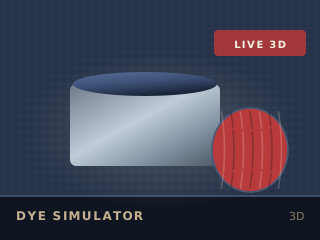
Running the 2D version. Every figure in the output panel is still calculated.
Educational simulation
Choose a dye, a mordant, a concentration and a number of dips, and watch a skein of yarn take the colour in the vat. The recipe card exports with the predicted shade and its fastness ratings. Results are a model, not a guarantee: your yarn, loom and room will differ.
How to use it
Pick a dye
Natural dyes — indigo, madder, cochineal, marigold — or a synthetic acid dye. Each has its own temperature and pH behaviour.
Choose a mordant
Alum keeps the colour true, iron saddens it, copper deepens greens, tin brightens but weakens the fibre.
Dip and build
Set the concentration and the number of dips. The skein darkens in the vat and the colour appears as it oxidises.
Record the recipe
Read the final hex, the lightfastness and washfastness, and export the recipe card.
What it models
Colour is modelled by building the shade in layers, the way an indigo vat actually works: each dip darkens and shifts the hue, and the mordant shifts it further. Fastness ratings follow the published behaviour of each dye class.
Without WebGL
Without WebGL the tool shows a large flat colour swatch, the full recipe table and the same predicted hex, fastness and mordant advice.
Keep going