Interactive 3D tool
Loom Simulator
Thread a warp, treadle the sheds and watch the cloth grow
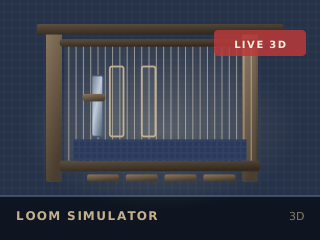
Running the 2D version. Every figure in the output panel is still calculated.
Educational simulation
A working model of a four-shaft floor loom. Wind the warp, thread the heddles and the reed, then treadle the sheds and throw the shuttle pick by pick while the cloth builds up row by row. Results are a model, not a guarantee: your yarn, loom and room will differ.
How to use it
Wind the warp
Set the width, the ends per inch and the number of shafts. The warp appears on the back beam at the length you specify.
Thread and sley
Thread the heddles in the order the draft requires, then sley the reed. Ends per dent sets the final spacing.
Treadle and throw
Press a treadle to open a shed, throw the shuttle, and beat. Repeat — the picks per inch figure updates as the cloth grows.
Advance and inspect
Advance the warp as the cloth rolls forward, check the tension, and export the drawdown when the pattern is right.
What it models
Warp tension and its effect on the shed, the geometry of a rising and sinking shed, shuttle flight across the race, and the way picks pack down to set the picks per inch. The fabric surface is generated from the actual interlacement of the warp and weft, not painted on.
Without WebGL
Without WebGL the tool shows a 2D drawdown and threading diagram that updates with every control, and reports the same warp count, picks per inch, cloth width and tension figures.
Keep going