Interactive 3D tool
Weave Pattern Designer
Draw a draft and see the cloth before you warp
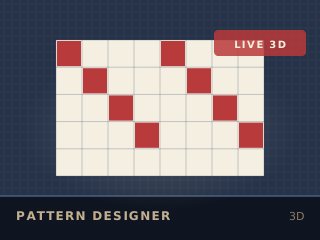
Running the 2D version. Every figure in the output panel is still calculated.
Educational simulation
Paint a threading, tie-up and treadling on the grid and watch the drawdown and the 3D cloth surface update as you work. Six classic structures are built in as starting points. Results are a model, not a guarantee: your yarn, loom and room will differ.
How to use it
Choose a structure
Start from plain weave, twill, satin, herringbone, houndstooth or plaid, or begin from an empty grid.
Draw the draft
Click squares in the threading, tie-up and treadling. The drawdown recomputes on every change.
Colour it
Set a warp colour and a weft colour and watch the cloth surface change as the two mix.
Check and export
Read the float-length warning, then export the draft as a PNG and the treadling as a CSV.
What it models
The drawdown is computed from the draft, not approximated: every interlacement is evaluated, so float length and the resulting texture are honest. Warp and weft colours are mixed in the surface shading the way a real cloth mixes them at a distance.
Without WebGL
Without WebGL the editor and the 2D drawdown still work in full, including float-length warnings and the PNG and CSV exports.
Keep going